Beta 2.5 Release Patch Notes
Posted: Tue Jun 16, 2026 2:40 am
-Beta 2.5-
Beta 2.5 update is upon us! There is a lot to unpack here. We are introducing multiple quality of life changes and new systems.
Our first FFA Zone "Brit Sewers" does still need to be spawned with the new mobs releasing in this update. Brit Sewers will open tomorrow evening, and for the first two weeks of testing will remain open with no schedule. The Schedule will begin in around two weeks. This will coincide with the release of our second FFA Zone "The Catacombs", which will feature one of our favorite FFA Zone rules "Line of Sight View".
Updates will get more common as we move into July. We can confirm currently that our Lockpicking and Remove Trap system is in the works. Our Boss System is in the works, and is shaping up to be a unique experience to bring UO Bosses into the Modern Era. We also have the rest of the Talisman in the works. Our next Talisman to be released will be the "Vanguard's Talisman". this is the Defense/Tank Talisman. We also have more plant seeds, Foundation Rewards, and Relic currently being designed and in the works.
We welcome your feedback by reply here or on our Discord.
Aliances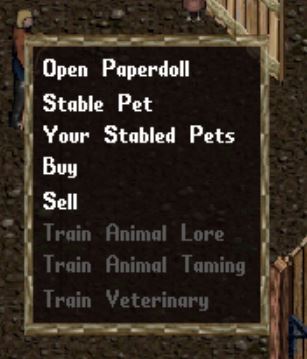
Stable Changes
Bonus Stable Slots (New)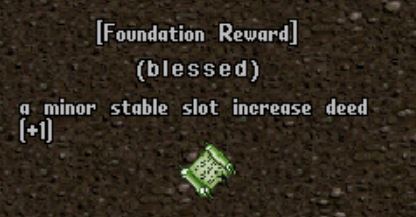
Stable Slot Increase Deeds (New)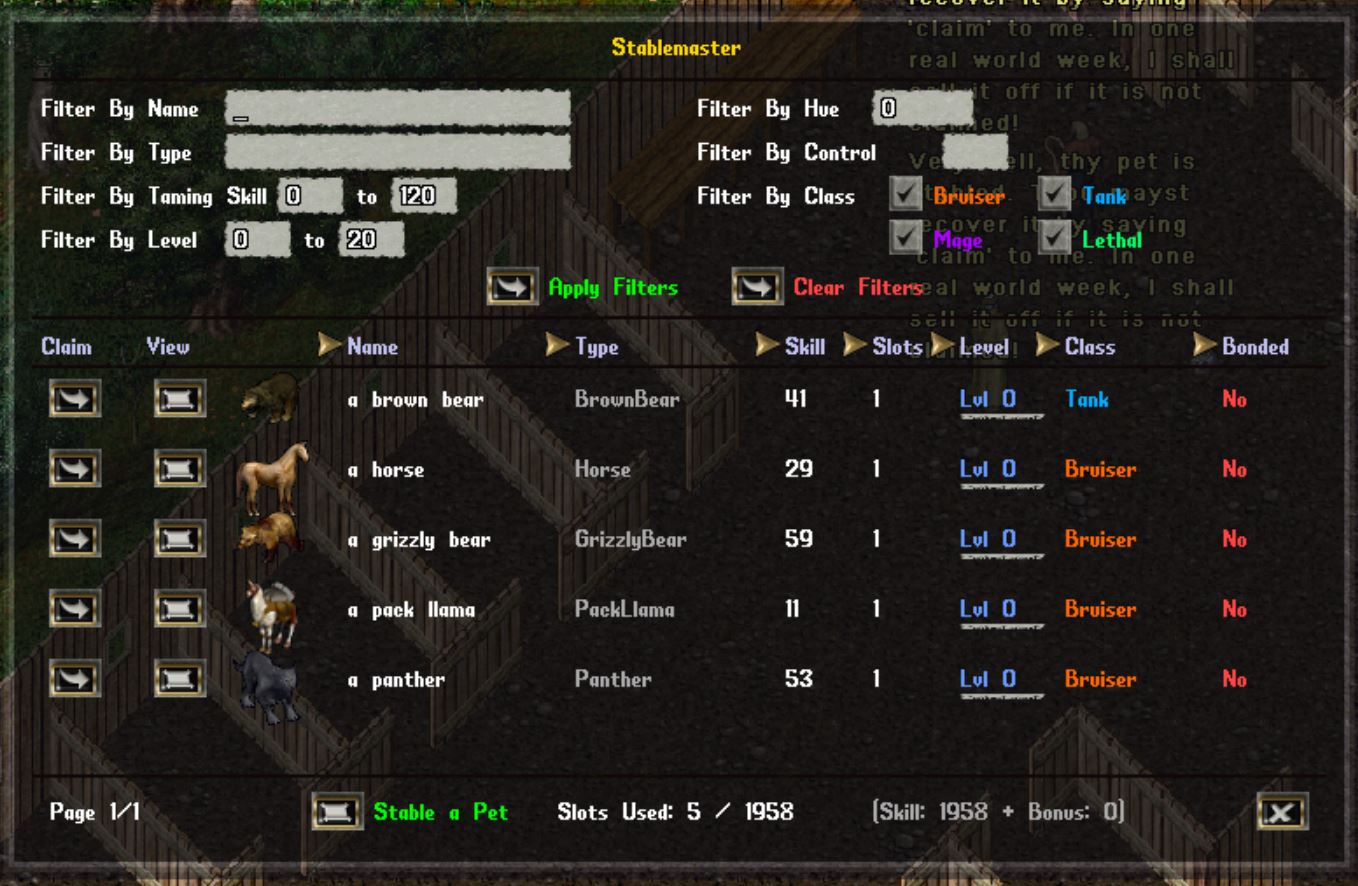
New Stablemaster Gump
[*] Filtering: Name, Type, Hue, Control Slots, Taming Skill range, Level range, Pet Class checkboxes
[*] Sorting: Clickable column headers for Name, Type, Skill, Slots, Level, Class, Bonded with ascending/descending toggle
[*] XP Progress Bar: 3-pixel tall bar below each pet's level with tooltip showing XP details
[*] Hue Tooltips: Shows rare hue info(name, rarity, region) when hovering over pet image
[*] Footer Info: Slots used, skill/bonus breakdown, page navigation
[/list]
Lorestone Graphic updated to be bigger.
Barding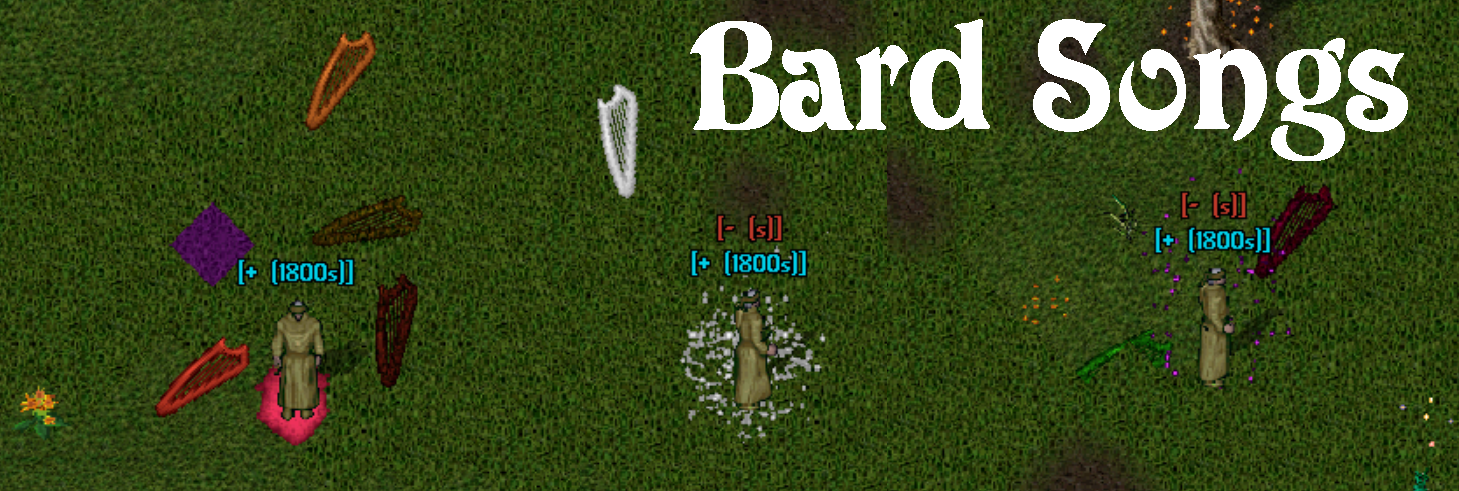
Bard Songs (New!)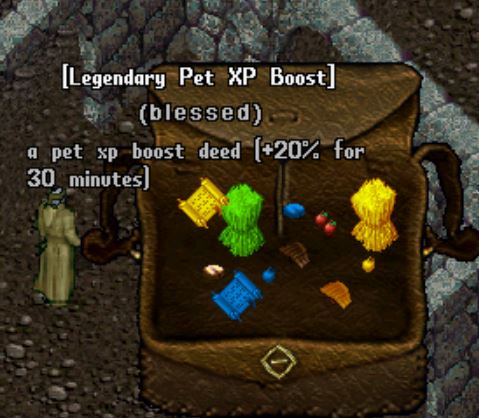
Beastbond Brotherhood Rewards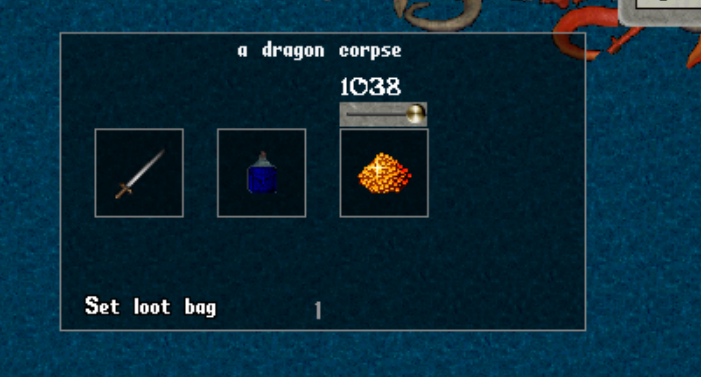
Ocean Content
-Free For All (FFA) Zones-
Combat & PvP Rules
Parties
Death & Respawn
Leaving a Zone
Scoring & Points
Beta 2.5 update is upon us! There is a lot to unpack here. We are introducing multiple quality of life changes and new systems.
Our first FFA Zone "Brit Sewers" does still need to be spawned with the new mobs releasing in this update. Brit Sewers will open tomorrow evening, and for the first two weeks of testing will remain open with no schedule. The Schedule will begin in around two weeks. This will coincide with the release of our second FFA Zone "The Catacombs", which will feature one of our favorite FFA Zone rules "Line of Sight View".
Updates will get more common as we move into July. We can confirm currently that our Lockpicking and Remove Trap system is in the works. Our Boss System is in the works, and is shaping up to be a unique experience to bring UO Bosses into the Modern Era. We also have the rest of the Talisman in the works. Our next Talisman to be released will be the "Vanguard's Talisman". this is the Defense/Tank Talisman. We also have more plant seeds, Foundation Rewards, and Relic currently being designed and in the works.
We welcome your feedback by reply here or on our Discord.
Aliances
- The Governor system for Alliances has been removed in its entirety.
• This system may get revisited in an expansion later after launch.
- The score weight for Max Hitpoints has been reduced from 1.7 to 1.5
Stable Changes
- New base stable slots:
• 20 slots for 240+ combined skill (was 5)
• 15 slots for 200+ combined skill (was 4)
• 10 slots for 160+ combined skill (was 3)
• 5 slots minimum (was 2) - Bonus slots for 100+ skill unchanged:
• Animal Taming, Animal Lore, and Veterinary
• +3 slots per skill at or over 100.0 - Max Slots from Skills is 29 (was 14)
Bonus Stable Slots (New)
- Each Character can gain a Maximum Bonus 300 Stable Slots.
- Total Max Stable Slots between Bonus and Skills is 329
Stable Slot Increase Deeds (New)
- 5 deed types: +1, +2, +5, +7, +10 slots
- Confirmation gump with current/max slots display
- Warning system if slots would be wasted
- Rewards from Beastbond Brotherhood Foundation
New Stablemaster Gump
[*] Filtering: Name, Type, Hue, Control Slots, Taming Skill range, Level range, Pet Class checkboxes
[*] Sorting: Clickable column headers for Name, Type, Skill, Slots, Level, Class, Bonded with ascending/descending toggle
[*] XP Progress Bar: 3-pixel tall bar below each pet's level with tooltip showing XP details
[*] Hue Tooltips: Shows rare hue info(name, rarity, region) when hovering over pet image
[*] Footer Info: Slots used, skill/bonus breakdown, page navigation
[/list]
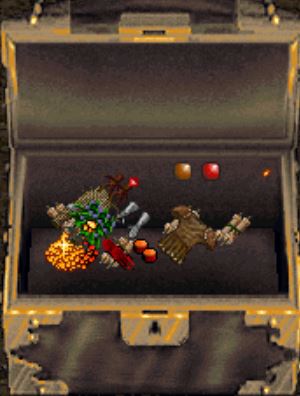
Lorestone Graphic updated to be bigger.
Barding
- Bard Break
• Bard Break now ends properly
• Attempting to bard a Bard Broken mob, no longer makes you wait the cooldown.
• Provoked mobs can now Bard Break.
• Each mob Bard Breaks independently. - Peacemaking
• Pacified mobs can no longer move up to 2 tiles. - Provocation
• A player must now pass a check on both mobs they are attempting to provoke.
• The chance to provoke check is now run on both mobs after the player chooses the second mob.
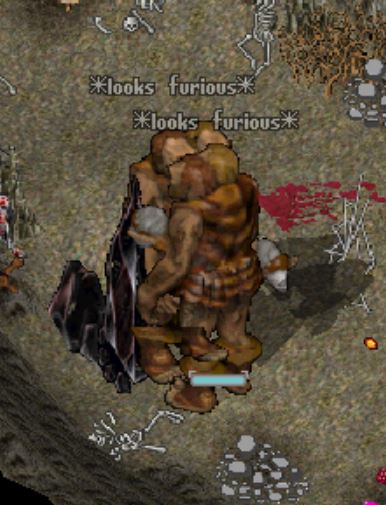
• Both mobs, if provoked, now say "Looks Furious"
• Mobs now drop loot if only damaged by a provoked mob. - Barding General
• You can now bard a Barded mob.
• Barding a mob with the same barding skill updates the timer.
• Failure to bard an already barded mob does nothing to the mob, and leaves the original effect and timer in place.
• Provoking a provoked mob to another mob, will change its target.
Bard Songs (New!)
- Each of the three bard skills now has a buff song.Play it by using the skill and targeting the ground.
• Provocation - "Anthem of Fury": Damage Increase and Attack Speed Increase.
• Peacemaking - "Serenade of Renewal": Mana Refund Chance and Mana Refund Amount.
• Discordance - "Ballad of the Bulwark": Armor Bonus. - Song buffs scale with your skill.
• Anthem of Fury and Serenade of Renewal: 1 % at low skill up to 9% at 120.
• Ballad of the Bulwark: 2 % at low skill up to 15% at 120. - Song buffs last 30 minutes.
- Playing a song does not run the bard skill's cooldown. Instead, all three songs share their own 10 second song cooldown.
- Songs buff the bard and all party members within 10 tiles.
- Songs from different bards do not stack.
• If you already have the song's buff, playing it again just refreshes the timer, keeping the stronger buff value. - Each song has its own buff icon. Hover it to see the song's name, its buffs, and time remaining. All three songs can be active at once.
- The song's visual effect plays on everyone who receives the buff, and the flying instruments match the instrument you played.
- Playing a song consumes one instrument use.
Beastbond Brotherhood Rewards
- Pet Food — feed to a pet whose favorite food matches its type(Meat, Fish, Fruits and Veggies, Grains and Hay):
• Common — 100 XP
• Uncommon — 250 XP
• Rare — 750 XP
• Legendary — 1500 XP
• Note: Pet food XP is flat and is NOT increased by Pet XP Boost Deeds
• Single click your pet food and click us for a menu to use multiple or all of that food in your backpack. - Stable Slot Increase Deeds — permanently raise your stable slots
• +1 slot(Common)
• +2 slots(Uncommon)
• +5 slots(Rare)
• +7 slots(Legendary)
• +10 slots(Legendary) - Pet XP Boost Deeds — timed boost to combat XP your pets earn(one active at a time, does not affect pet food XP)
• +10% for 30 or 60 minutes(Rare)
• +20% for 30 or 60 minutes(Legendary) - Title Deeds — claim a Beastbond Brotherhood title
• Beast Tender(Rare)
• Packmaster(Rare)
• Beastbond Warden(Legendary)
• Lord/Lady of Beasts(Legendary) - Dye Deeds — recolor your creatures with a random hue
• Comes in foundation hues, with a chance at rare "everywhere" hues
• The hue is not tied to the deed's rarity.
• Mount Dye Deed(Rare) — only works on mounts
• Pet Dye Deed(Legendary) — works on any tamed pet - Addon Deeds
• Come in Foundation and everywhere hues.
• East and West Hitching Post
• East and West Water Trough Deeds
Ocean Content
- Boats now move and can be placed on Translucent Water.
- Ocean Hue loot now drops on mobs in the Ocean.
-Free For All (FFA) Zones-
- Special PvP zones where the normal rules come off.Every player inside is fair game.
- Each zone has its own rules, schedule, and seasonal leaderboard.Always check [ffa before diving in.
- Walking in pops up a rules screen the first time.Read it.
• "I Understand, Continue" enters the zone(the popup returns next session).
• "Don't show me this zone again" hides it until that zone's rules change. - Young players cannot enter FFA Zones.
- Zones can run on an open/close schedule.If a zone is closed you can't enter, and you'll be ejected if you're inside when it closes.
- Hued loot (Backpack Dye, Lustrous Cloth, ect) drops in a random Everywhere Hue.
Combat & PvP Rules
- PvP is open.Anyone can attack anyone.
- You are flagged criminal(gray) the moment you enter, and stay gray while inside.
- Names are hidden: every other player shows as "Mysterious Stranger." Yours is hidden to them too.
- Some zones are line of sight only.You only see players, creatures, and items you can actually see.
- Recall and Gate may be blocked, and/or have longer cast times, depending on the zone.
- Some zones boost gold and loot drops from creatures.
Parties
- Crossing into an FFA Zone removes you from your party.
• If you were the party leader, the party disbands. - You cannot accept or send party invites while inside an FFA Zone.
Death & Respawn
- Item loss follows the shard's Felucca rules.
- Some zones teleport you out on death to a safe home location:
• Your Township's home point if you belong to one.
• Britain is Default(Bucs Den for reds) - Death Gates are suppressed inside zones that teleport you out.
- Some zones use "Keep Alive" instead of killing you:
• You don't die, drop no corpse, and leave no ghost.
• You're teleported out alive at a reduced amount of health (around 25%) with the message "Death has spared you."
Leaving a Zone
- Any combat you were in inside the zone is wiped when you leave.Players you fought turn blue to you again on exit.
- Some zones have a kickout timer: after a set time inside, you're automatically ejected.
- Some zones lock you out after you leave.You can't enter again for a set cooldown, and you'll be told the time remaining if you try.
Scoring & Points
- Kills inside a zone earn you points toward that zone's seasonal leaderboard. Base value is set per zone (10 by default):
• Creature kill: base points
• Player kill: 2x points
• Zone Mob(a "Marked Quarry"): 3x points- Zone Mobs show a gold "[Marked Quarry]" label overhead when you single click them.These are the premium targets.
- Each zone has its own point multiplier, so totals can be higher or lower than the base values above.
- Pet kills credit you, the owner, not the pet.
- Bard provoke credits you: if you provoke a creature and it lands the kill, you get the points
Seasons & Tiebreakers- Leaderboards run in seasons.At season reset the top 10 are snapshotted into the zone's History and the live board is cleared.
- Tied scores in the top 10 are settled at season end with a d20 dice off.Highest roll takes the higher rank.Matching rolls roll again.
- The full round by round dice off result is saved and viewable in your History tab.
- During the season, tied scores just sort alphabetically.Nothing is decided until the reset.
Season Prizes- The top 10 of each zone earn FFA Zone Prize Packs at season's end:
• 1st place: Legendary Prize Pack
• 2nd and 3rd: Rare Prize Pack
• 4th to 6th: Uncommon Prize Pack
• 7th to 10th: Common Prize Pack - Prize packs are hues for the zone they came from.
- You must have your Discord linked to receive prizes.No linked Discord means the prize is forfeited for that season.
- On login you'll be told if you have unclaimed FFA Zone prize packs. Claim them with [rewards.
Player Commands- [ffa opens the FFA Zone menu: per zone Rules, live Leaderboard, schedule(with a local time toggle), and season History with the dice off audit.
- [FFALeaderboard prints the current top 10 for every zone.
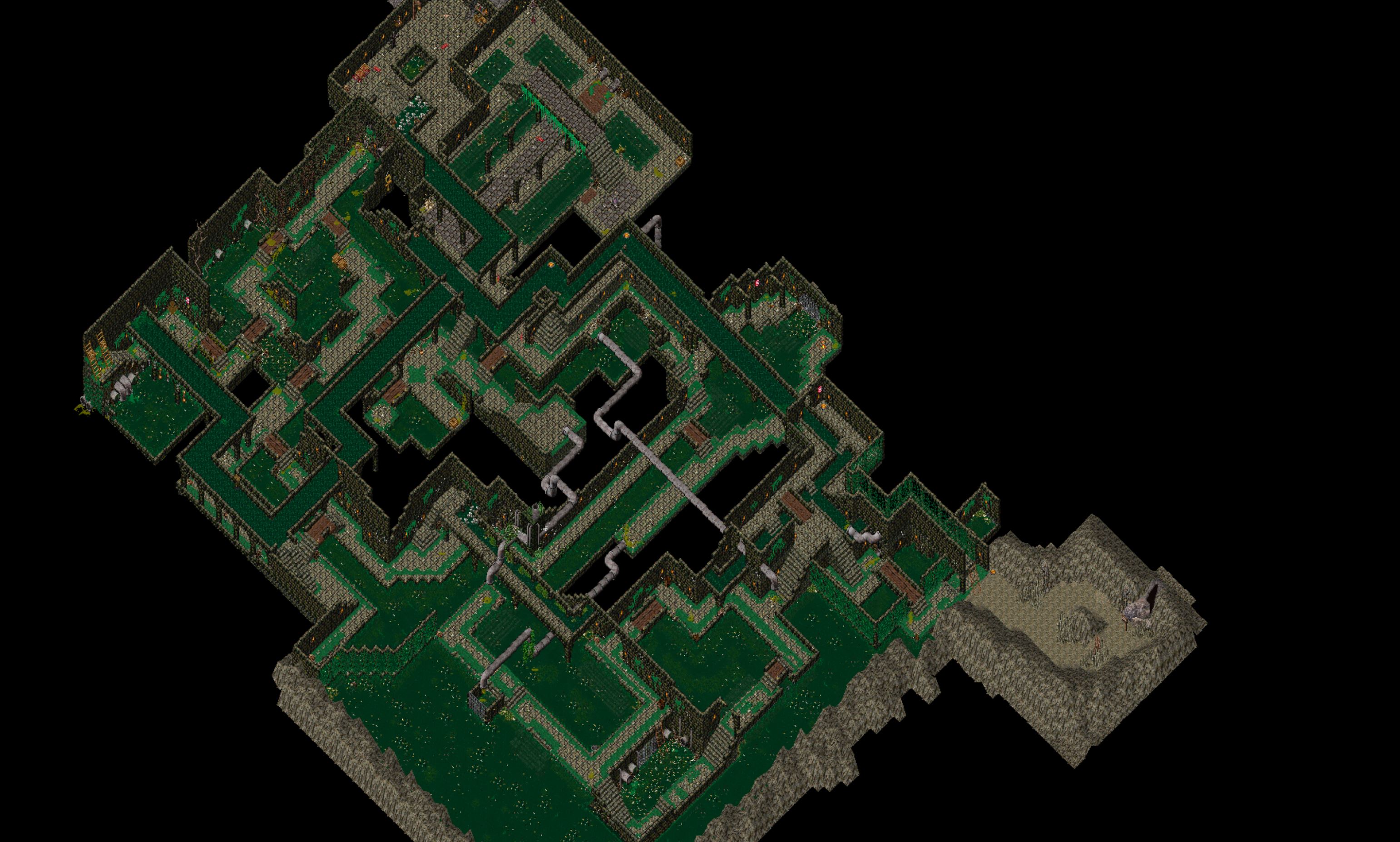
Brit Sewers- Brit Sewers had received a face lift.
- There are now multiple entrance.
- Reds can enter and leave from the entrance between Brit and the GY.
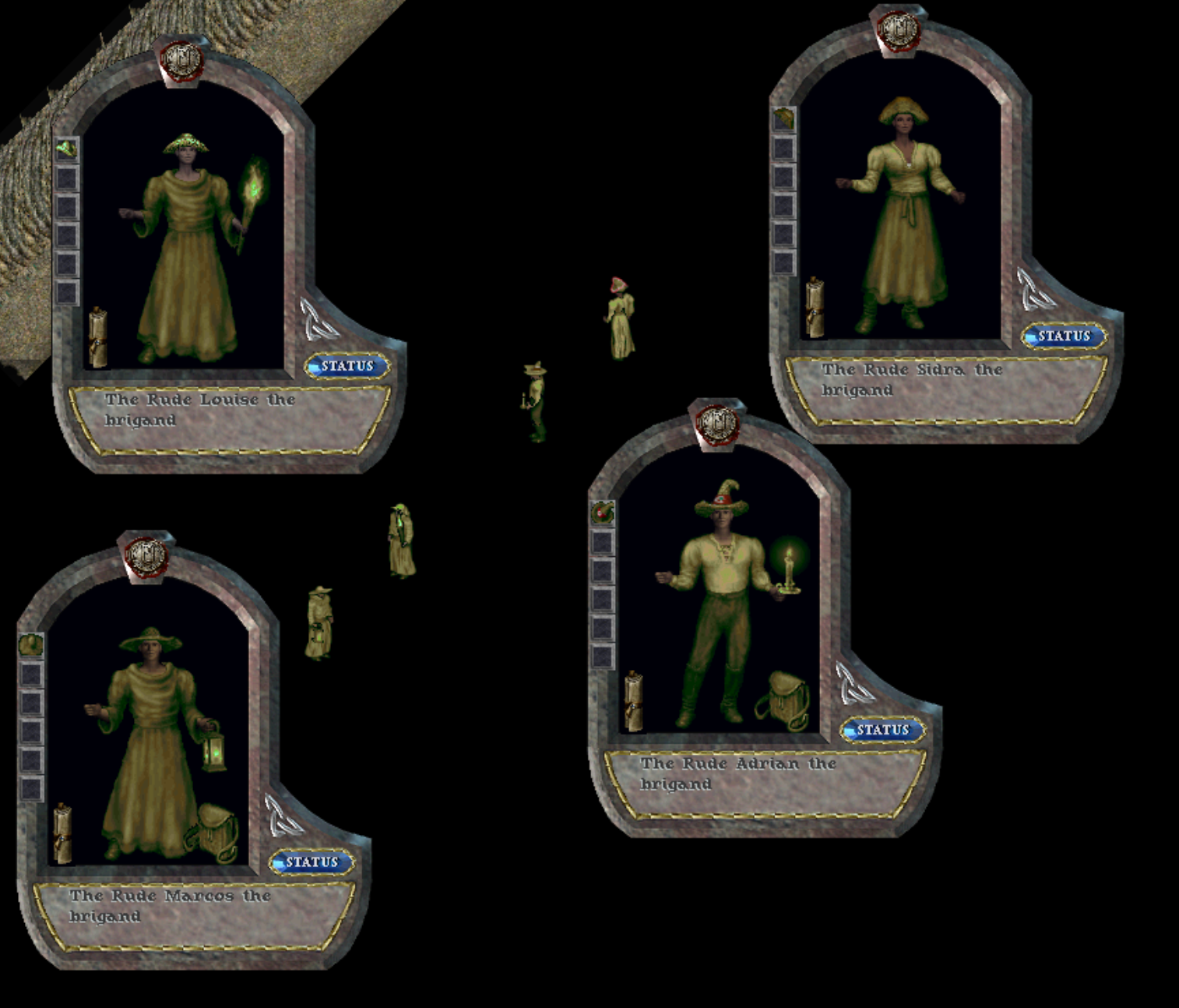
Seasonal Reward Hue- Under Rot [2057]
- Brit sewers will be open three times a day for two hours each.
• The schedule will be posted in game on the Schedule Calendar "[Sched)"
- Brite sewers will follow default points and modifiers.
- PvP Enabled
- Stealing/Snooping allowed.
- Force criminal flag on entry.
- Names are hidden: every other player shows as "Mysterious Stranger."
- Recall and Gate casting are allowed for leaving the zone.
• One Second Delay on Recall and Gate cast. - 10 second Lockout on leaving.
- 5% Loot Chance Increase
- 10% Gold Increase
-New Vendor Window-- Buying and selling at NPC vendors now opens a full server-side window instead of the old client list.
- It opens the same ways you already use: double click the vendor, pick Buy or Sell from the context menu, or say "vendor buy"/ "vendor sell".
- Top tabs switch between Buy and Sell. One vendor window is open at a time.
Three Views, Your Choice- Full: the wide window with search, sort, shopping lists, sell orders, and a full tax breakdown. Best for serious shopping runs.
- Compact: a slim version of Full with the same Buy/Sell, cart, and tax breakdown, sized to tuck into a corner. No filters or lists.
- Classic: the old legacy list.
• Warning: Classic does NOT show alliance or township tax, so the price it shows is not the price you actually pay. Use Full or Compact if you want to see the real total. - Flip between Full and Compact any time with the button in the top right of the window.
- Set your permanent default in Main Menu, Misc Options, Vendor UI. The "?" icon on the window explains all three.
Buying- The Buy tab lists everything the vendor stocks, with item icon, name, stock count, and price.
- Demand tags [L], [M], [H] show next to items so you can see what is in demand.
- Set quantities with the step buttons (1 and 10 at a time), a Full Stock button to grab all available, or type an exact amount and click Add / Set.
- Your cart sits on the right and shows subtotal, tax, and total, plus a gold and weight readout. Click Checkout to buy.
- Quick add buttons: "+ page to cart" adds everything on the current page, "+ list matches" adds everything that matches your shopping lists.
Selling- The Sell tab lists the items in your backpack that this vendor will buy, with how many you have and the price each.
- Build a sell cart the same way you build a buy cart, then confirm.
- New: selling to NPC vendors is now taxed, and the tax is shown up front. Your cart shows the Gross, the Tax, and the Net to you so there are no surprises.
Taxes Are Now Visible- Alliance and township tax is shown right in the cart on both buying and selling, including the percent and which township it goes to.
- Buying from player vendors now charges this tax too, and it is shown before you confirm.
- A vendor in a region with no township shows no tax line and charges no tax.
- Reminder: only Full and Compact show the tax. Classic hides it.
Shopping Lists (NPC vendors)- Save reusable shopping lists, up to 2 per character.
- Add items from the catalog of everything NPC vendors sell, or by targeting an item you already own.
- Per item you can set a desired quantity and a max price you are willing to pay, and you can check or uncheck items to include or skip them.
- "Cap qty: on" stops you from overbuying the same item as you visit multiple vendors in one trip. The list shows how many you have bought so far this session.
- Click "Execute on this vendor" to buy every matching item from the vendor in front of you in one go. You still see the total and tax before it runs.
- "Reset session counters" clears the session tally. Counters also reset when you log in.
Sell Orders (NPC vendors)- The selling version of shopping lists, up to 2 per character.
- Set a min price per item so you never sell below your floor, then run the whole order against a vendor in one click.
Favorites, Recent, Search & Sort- Star any item to pin it to the top of the list for that vendor.
- Recent purchases are remembered; click a recent to drop its name into the search box.
- Search by name, sort by name, price, or stock, and on the Buy tab toggle "Only items in my shopping lists".
- The filter strip collapses to keep the window tidy and shows a short summary of what is active.
-Monster Abilities-
Goring Horns- Horned creatures (such as the horned frog) can now gore attackers that strike them:
• Triggers when the creature takes damage from any source
• Reflects a portion of the damage back to a foe within 1 tile
• No cooldown - Trigger chance and reflected damage scale with ability quality:
• Lesser: 5% chance to reflect 15% of the damage taken
• Substantial: 8.3% chance to reflect 21.7% of the damage taken
• Greater: 11.7% chance to reflect 28.3% of the damage taken
• Exceptional: 15% chance to reflect 35% of the damage taken - Goring a foe plays a sound and a horn strike effect on the target
- Reflected damage cannot bounce back, so two horned creatures will not lock into an endless reflect loop
- Every melee strike deals bonus physical damage
- Lesser: +10%, Substantial +20%, Greater: +30%, Exceptional: +40%
- 10 - 20 second cooldown
- Every melee strike deals bonus physical damage from a crushing overhead blow
- Lesser: +15%, Substantial: +25%, Greater: +35%, Exceptional: +45%
- 12 - 22 second cooldown
- Chance on hit to sling toxic sewer sludge, dealing bonus poison damage and coating the foe in poison
- Trigger chance: 15% / 20% / 25% / 30% by quality
- Bonus poison damage: 15% to 30% of the strike
- Poison applied: Lesser / Regular / Greater / Deadly by quality
- 15 - 0 second cooldown
- Chance on hit to splatter festering bile, dealing bonus poison damage and sapping stamina
- Trigger chance: 15% / 20% / 25% / 30% by quality
- Poison applied: Lesser / Regular / Greater / Deadly by quality
- Stamina drained: 5 / 10 / 15 / 20 by quality
- 15 - 30 second cooldown
-Leaderboards-- The season arrows at the top of the leaderboard now work. You can browse previous seasons and view their final standings.
- Past seasons are now properly archived when a season ends, so historical rankings are saved going forward.
- Creatures Killed now credits correctly when you kill a monster yourself, when your pets land the kill, and when you provoke a creature into doing the killing.
- You receive credit only once per kill, no matter how many of your pets helped.
- Killing another player's pet no longer counts toward Creatures Killed.
-Pets and Server-- When the server shuts down, restarts, or crashes, your pets now log out with you, the same way pets stable when you log out inside an inn or house. A pet must have line of sight to you to come along.
- After a server shutdown, restart, or crash, every player who was online returns logged in while hidden, and their pets come back hidden alongside them.
- You can always see your own pets, even while they are hidden.